
Publish a product via URL
As a professional seller, you can use an external link to create a product listing more quickly.
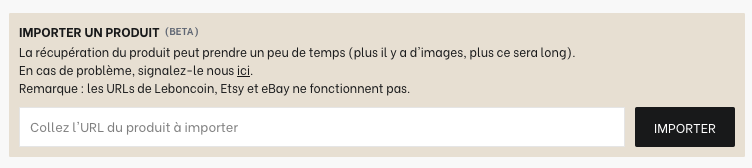
What is this feature for?
It allows importing the information present on the indicated page such as the product title, reference, description, quantity, material, color, style, dimensions and weight, as well as the images.
Note that the following fields are never automatically filled in:
the category
the designer
Import does not work, why?
Import has technical limitations that depend on the site we want to import from. For it to work, the site must meet all of the following criteria:
Publicly accessible site
The page must be accessible without authentication (login/password), paywall, or any geolocation blocking. If the page returns an error (403, 401, 404, etc.), the import will fail.
Page response time
The server must respond in less than 3 seconds. If it takes longer, the request is considered too long and the import fails.
No JavaScript required for loading
URL-based imports do not support sites whose content is generated on the client side with JavaScript. We do not execute JavaScript on the client side. The content must be SSR / pre-rendered in the initial HTML.
Unsupported / blocking sites
URL import does not work on consumer sites that block or filter bots and scrapers (e.g., LeBonCoin or Etsy)
How to allow scraping on my site?
If importing from your site does not work because our bot is blocked, you can allow it by ensuring that your WAF / CDN (Cloudflare, etc.) does not block or challenge our User-Agent (no CAPTCHA, JavaScript challenge, redirection to a waiting/anti-bot page).
Our bot identifies itself with the following User-Agent:
User-Agent: SelencyBot/1.0 (+https://www.selency.fr)